Orders
Where the Auction House is one item at a fixed price, Orders are for buying or selling in bulk. You post an order, other players fill it over time.
/orders
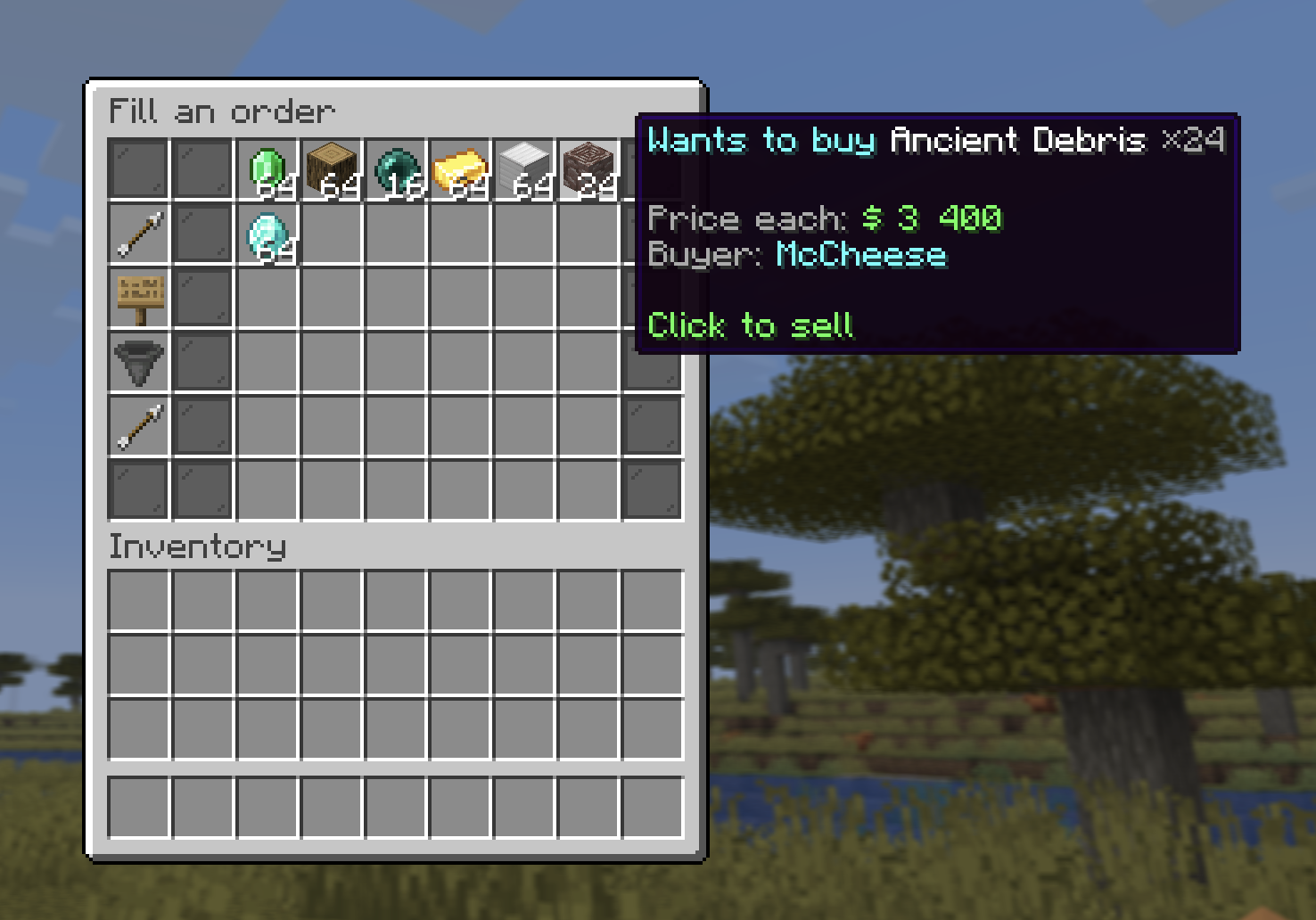
Two kinds of order
Buy order — "I want to buy X"
- You set an item, a quantity, and a price per item.
- Your Money is held in escrow up front.
- Other players deliver the item and get paid instantly.
- The items they deliver pile up in your My deliveries tab for you to collect.
Sell order — "I want to sell X"
- You set an item and a price per item, then fill a chest with what you want to sell.
- The fill chest holds up to 10 double chests (540 stacks), and you add to it a little at a time, so you can post one big order instead of many small ones. Break your storage into your inventory, drop it into the chest, refill, repeat.
- Your items are held in escrow once the order is placed.
- Other players buy from the order and pay you Money.
:::tip Fees Every order sale takes a 5% fee off the seller's payout (the same cut as the Auction House). The buyer always pays the full price; the seller nets 95%. :::
The three views
- Browse orders — every open order to fill.
- My orders — the orders you've posted.
- My deliveries — items delivered to your buy orders, waiting to be collected.
Filling an order
- Fill a sell order: choose how many you want to buy (capped by stock and your balance).
- Fill a buy order: drop the requested item into the deposit grid to deliver it, you're paid on the spot (minus the 5% fee). The window stays open until the order is full, so you can refill the grid and keep delivering without leaving.
Cancelling
Cancel any of your own orders to get back what's left, unspent escrow Money for a buy order, or the remaining items for a sell order.
Order limits
| Rank | Active orders |
|---|---|
| No rank | 12 |
+ | 24 |
++ | 48 |
+++ / media | 96 |