Getting Around
Homes, warps, random teleports, and player-to-player teleports, plus the one rule that blocks them all: combat.
Homes
/homes
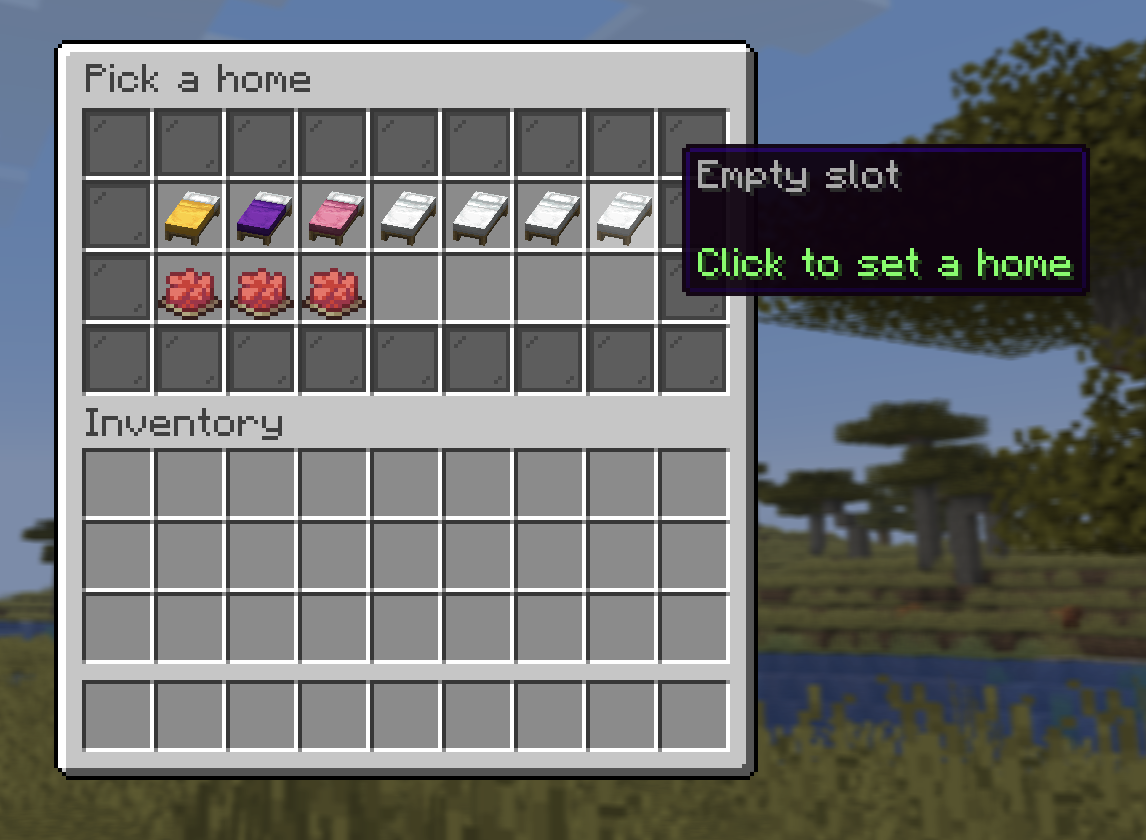
Opens your home grid. Click a saved home (a colored bed) to teleport there after a short warmup. An empty slot (a white bed) lets you name a new home and pick a bed color for it.
-
Delete a home from its tile (with a confirmation).
-
A home outside the world border can't be used. Save a new one inside, see Moving Your Base.
-
How many homes you get depends on your rank:
Rank Homes No rank 4 +5 ++6 +++/ media7
Slots above your rank show as a locked pane (Unlock with +).
Warps
/warps
Server-wide warps set by staff. Click one to teleport there (after a warmup).
Random teleport
/rtp
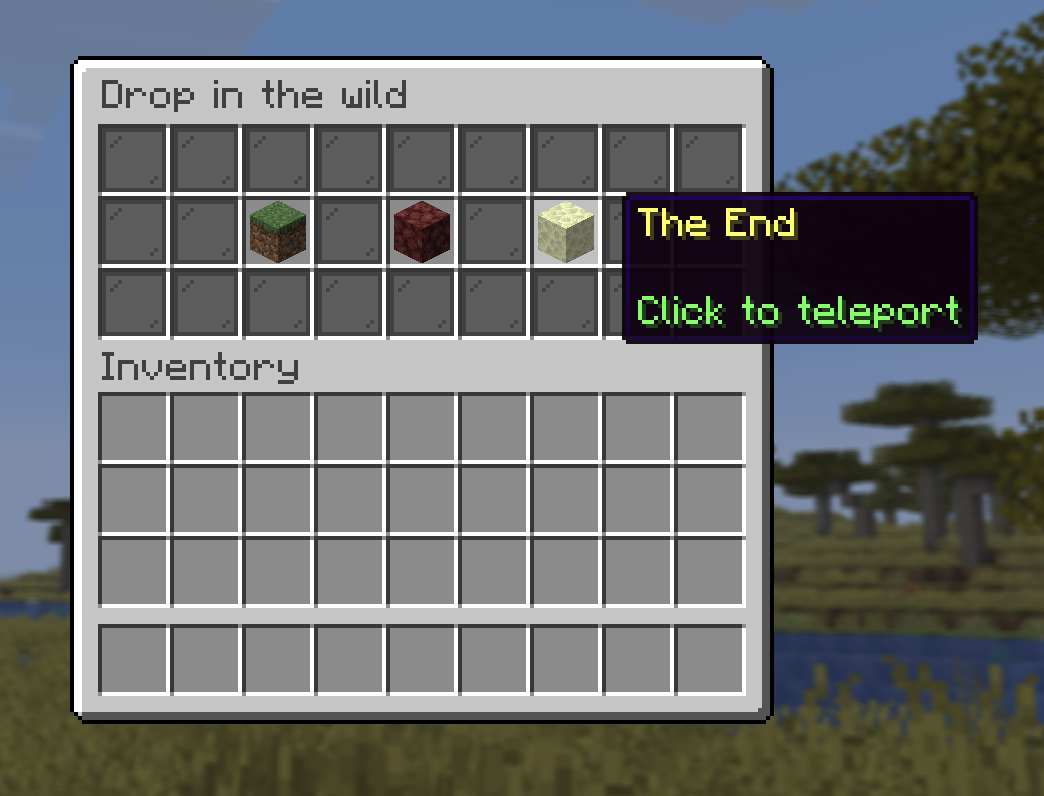
Pick a dimension, Overworld, Nether, or End, and get dropped at a random safe spot in the wild, never too far from other players:
| Dimension | Where you can land |
|---|---|
| Overworld | Up to 6,000 blocks from spawn, never right on top of it |
| Nether | Up to 6,000 blocks from the center |
| End | The outer islands, between 1,024 and 6,000 blocks out |
The teleport runs after a warmup and finds solid, non-dangerous ground for you, never in the water
or a lava lake. After a drop there's a short 30-second cooldown before you
can /rtp again.
Dying without a bed
Die with no bed and no respawn anchor and you don't wake up at spawn: you're
dropped at a random safe spot in the wild, exactly like /rtp, with a
starter chest placed a few blocks in front of you under a beam of light.
Basic tools, food and a few blocks, enough to walk home.
Sleep in a bed as soon as you build one. Then death puts you back in your base instead of somewhere you've never seen.
Teleport to players
| Command | What it does |
|---|---|
/tpa <player> | Ask to teleport to them. |
/tpahere <player> | Ask them to teleport to you. |
/tpaccept | Open the request menu to accept or decline. |
- Requests queue up, so several people can ask you at once without one overwriting another.
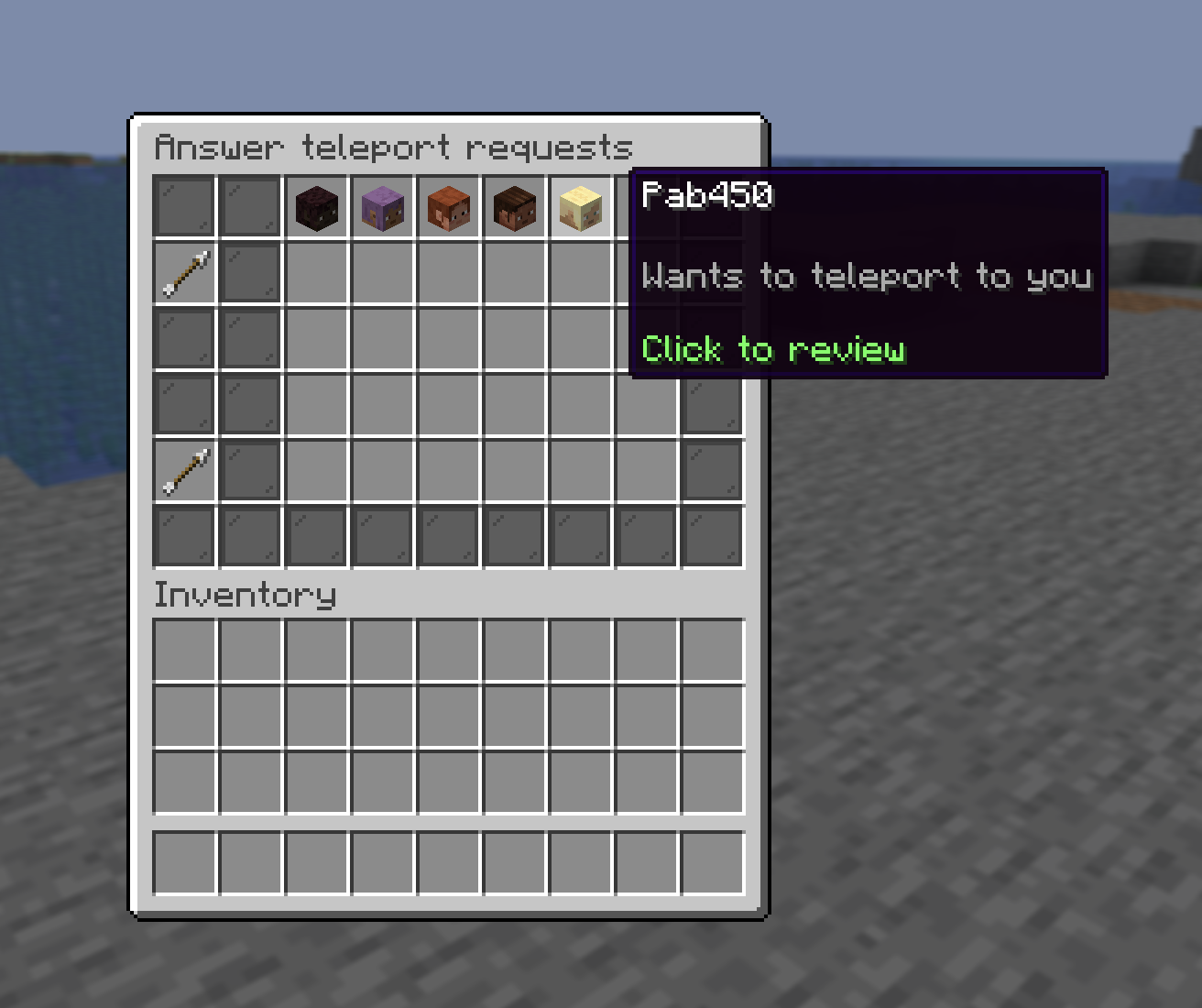
/tpacceptopens a menu of everyone waiting: click a head to see who it's from and which way it teleports, then Accept or Decline. You always see what you're answering before you commit, so there's no separate deny command.- Requests expire after 60 seconds.
- Players can allow auto-accept for
/tpain their Settings, in that case you're teleported without them clicking./tpaherealways needs an explicit accept.
The warmup
Home, warp, RTP, and TPA teleports all use a short stand-still warmup (about 5 seconds). A blue bar counts it down. It's cancelled if you move to another block, take damage, or log off, so you can't cheese it mid-fight.
Combat tag — the catch
Deal or take PvP damage and you're combat-tagged for 15 seconds (so is the
other player). While tagged, a red bar shows the countdown and all teleports
are blocked, no /home, /warp, /rtp, or /tpa to escape a fight. Firework
rockets are also blocked while tagged, so you can't boost away on an elytra. The
tag refreshes every time you're hit.
You can't teleport your way out of a losing fight. Plan your escape before someone swings at you.
Logging out in combat
Quitting while combat-tagged does not save you. The moment you disconnect you die on the spot: your whole inventory and XP drop where you stood, and you come back empty-handed. Whoever last hit you gets the kill, its Shards, and any bounty on your head, exactly as if they'd finished you off. This holds whether you close the game, rage-quit, or lose connection, and it applies inside events too.
A normal server restart never counts, so you're only ever punished for running.