Moving Your Base
The world is getting smaller: the border shrinks to 12,000 blocks wide (6,000 blocks from spawn in every direction), so everyone plays closer together. If your base is further out, move it inside with a Base Mover.
When
| Phase | When | What happens |
|---|---|---|
| Grace period | Until 4 October 2026 | The border stays put. Move your base now. |
| The move | 4 to 20 October 2026 | The border moves in slowly. You can see it creep across the land, and the chat tells everyone how far it has come. |
| Done | From 20 October 2026 | The border is final. Anything outside is gone. |
Log out outside the border and you are dropped at a random spot inside when you come back. A home outside the border stops working, so save a new one inside.
Get a Base Mover
Buy it in /shop, in Special items, for 1,500 ★. One Base Mover moves one
base. Lost it? Buy another and start again, nothing else is lost.
You get 5 selections and 5 moves, ever. Both counts are on you, not on the item, so buying another Base Mover gives you no extra use, and handing a selected one to a friend doesn't either: whoever clicks Select pays a selection, whoever clicks Move here pays a move. Out of either, that button turns into a barrier and the block refuses to be placed. Both screens show what you have left.
The Base Mover is only on sale until the border reaches its final size. After that, it leaves the shop. A Base Mover you already own keeps working.
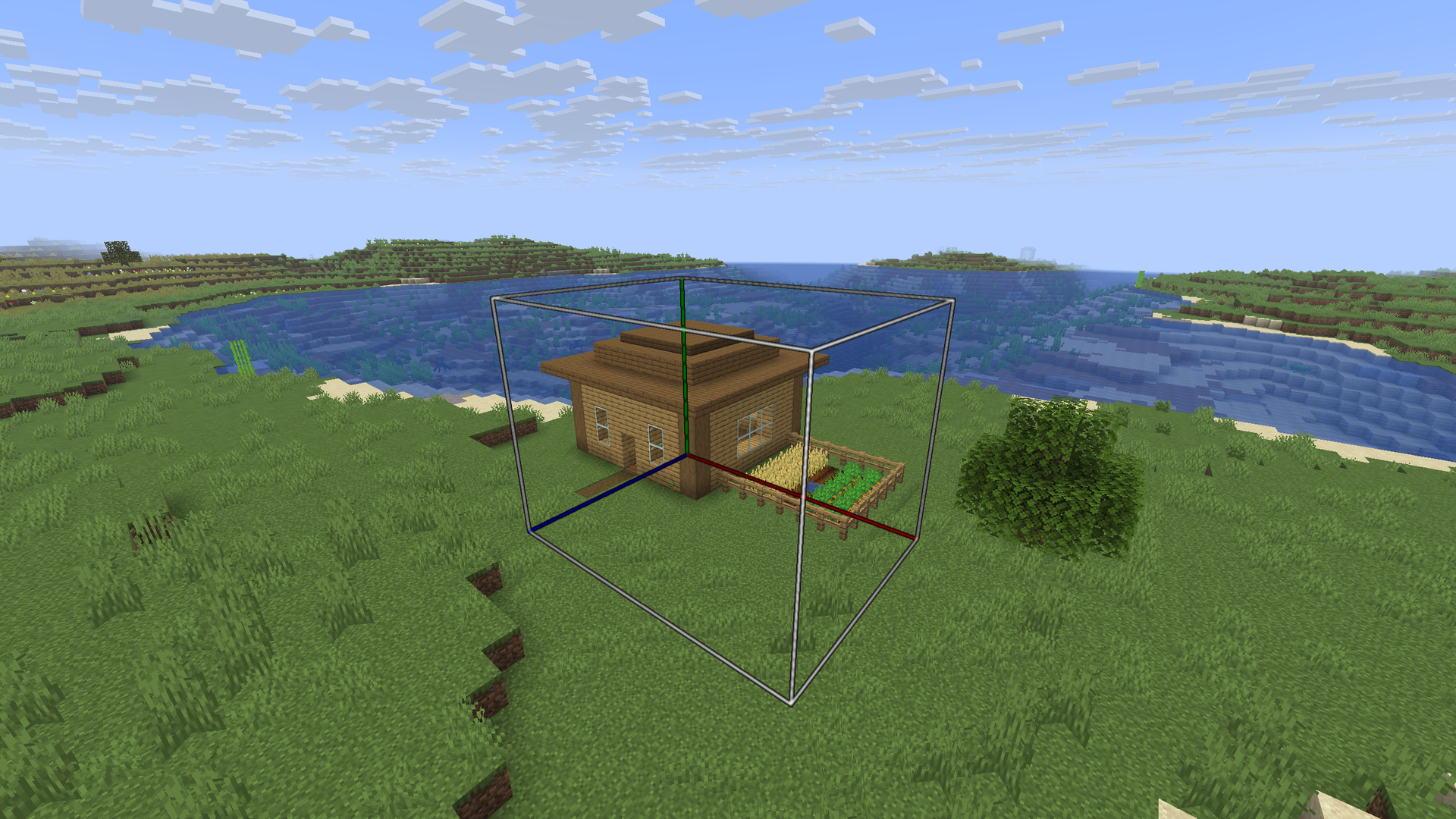
Move your base
- Select. Place the Base Mover in your base. A box appears around it, only
you can see it. Right-click the block to size the box: left-click a side to
grow it, right-click to shrink it, or change all sides at once. You can also
type a size like
100x12x33, up to 100 × 100 × 100. To move the Base Mover, just break it and place it again. When the box covers your whole base, click Select: the Base Mover comes back to your inventory with your base saved in it. The box can't reach into the spawn area: if it does, Select turns into a barrier, so place the Base Mover further out or make the box smaller. - Choose the spot. Place it where your base should go, inside the final border and away from spawn. A second box shows where it will land. Break it and place it again until it's right.
- Move. Right-click it and click Move here, then watch your base rise layer by layer while the old spot dissolves. The Base Mover is used up.
Everything in the box comes along: blocks, chests and their contents, spawners, animals, villagers, item frames, and your homes inside it.
Bedrock never moves. If your box reaches the bottom of the world or the Nether roof, the bedrock stays exactly where it is, at both ends.
A spawner arrives working: same mob, same stack, and the loot and XP it had banked are still waiting in its menu. Nothing to collect before you move.
Only you can use or break your Base Mover once it's placed.
Whatever stands at the new spot is replaced, so pick it carefully.